Important Information for Speakers – Talk Upload Instructions
Deadline: Please upload your presentation to Indico at least 24 hours before your scheduled presentation time.
Presentation Guidelines
- Invited Oral Presentations: 25 minutes + 5 minutes for Q&A
- Contributed Oral Presentations: 15 minutes + 5 minutes for Q&A
- Accepted Formats: PDF or PowerPoint (.ppt/.pptx)
Uploading Your Slides to Indico
Once your abstract has been submitted, reviewed, and assigned a presentation type, your contribution will appear in Indico under "My Contributions" (accessible via the left-hand menu).
Please name your file:FirstNameLastName-DayOfYourTalk (Mon/Tue/Wed/Thu/Fri) and use the pptx format
(e.g., FirstnNameLastName-Tue.ppt)
To upload:
- Click on your presentation title under "My Contributions"
- Scroll down to "Presentation Materials"
- Click the ✏️ (pencil icon)
- Select "Add Materials to the Contribution"
- Drag & drop your file, or browse to upload from your computer
On-Site Information & Support
If you experience upload issues, contact: EMIS2025@triumf.ca
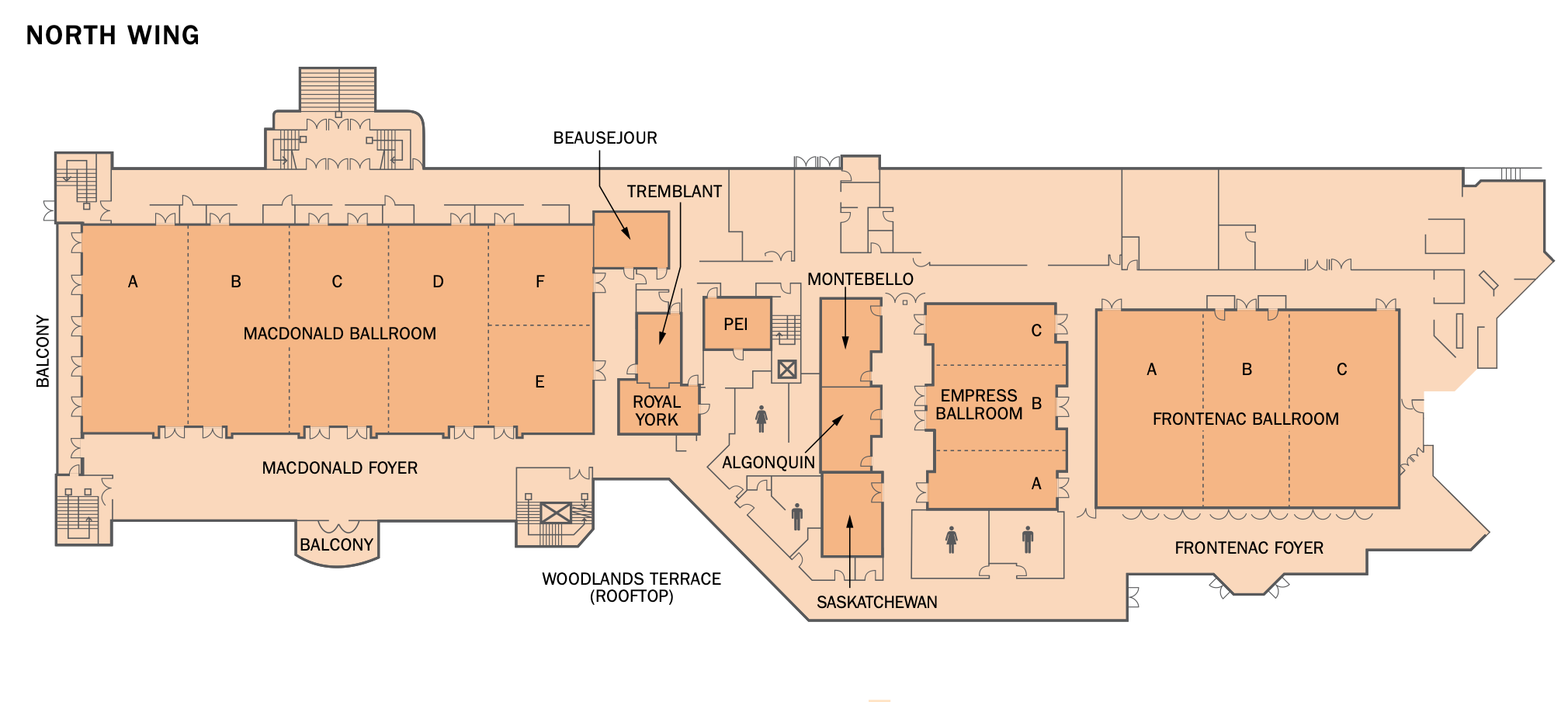
- A Speaker-Ready Room will be available daily from 7:30 AM to 8:30 AM in the PEI room (see floorplan below), where you can:
- Upload or review your slides
- Receive assistance if needed
Note: Presentations must be uploaded to Indico. Personal laptops will not be permitted for presentation.